⌘T the shortcut you press most
Rocket tab New Tab Dashboard for your new tab
Chrome opens a blank page fifty times a day. Rocket Tab puts a real dashboard there: your links as pictures you recognise, a to-do board you can drag around, and the two or three things you actually check — a timer, the weather, a radio station.
Add to Chrome — free See what's inside
- Visual bookmarks Real screenshots, not favicons in a row.
- To-do board Cards with deadlines, placed where you want them.
- Three widgets Countdown timer, weather, internet radio.
- Stays local No account, no analytics, no upload.
visual bookmarks
Your links, as places you recognise.
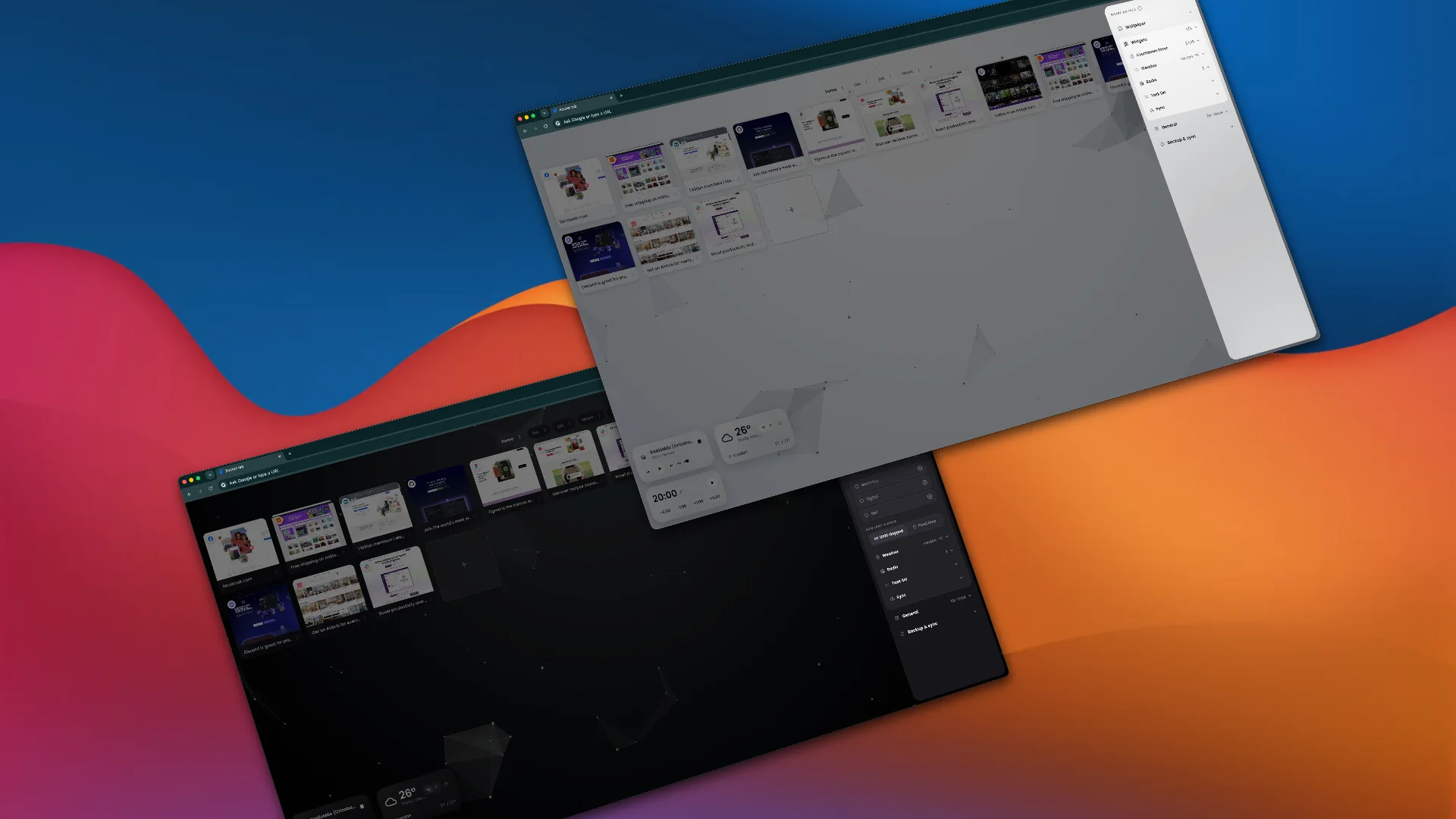
Every tile on the new tab page holds a real screenshot of the site and the site's own icon, so you find things by sight instead of reading twelve near-identical URLs. It is a speed dial that actually looks like the web you use.
Keep separate sets in separate groups — work, home, the project that ends next month. Drag a tile to move it, hit refresh on the card when a site gets a redesign, pick small, medium or large cards for the whole grid.
to-do board
A task board on your new tab, not another checklist.
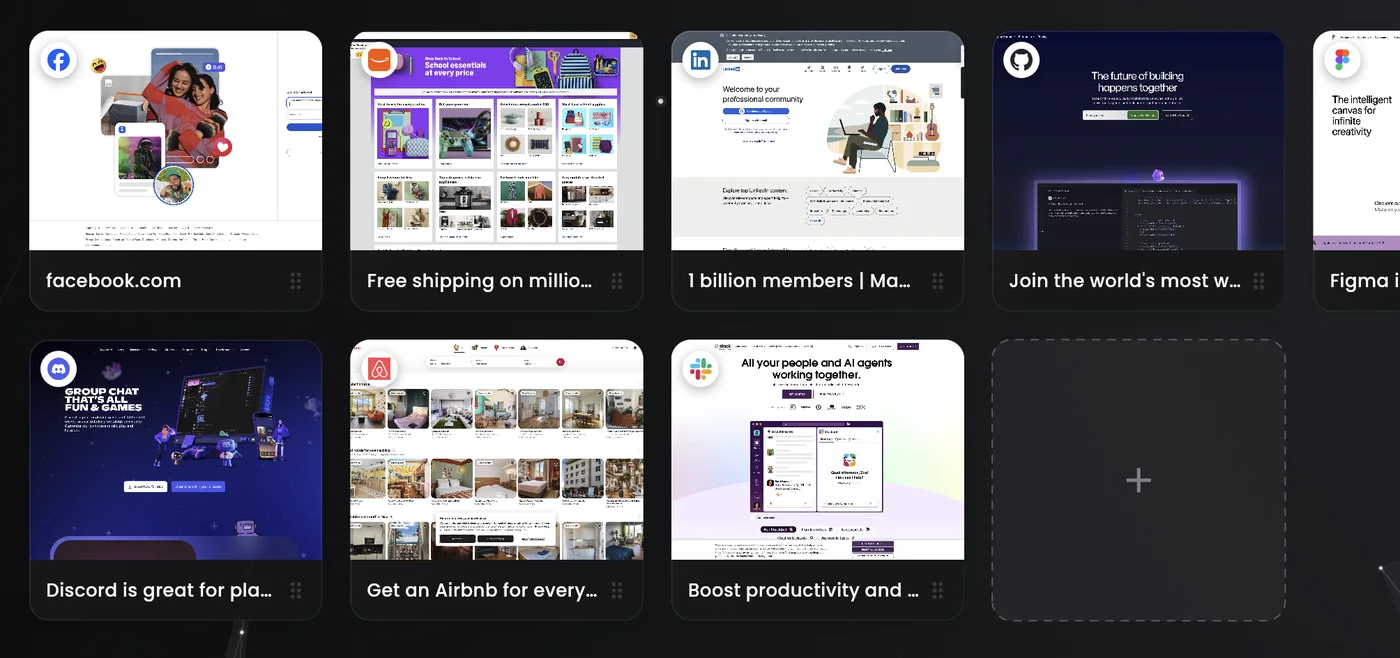
Write the task, give it a deadline if it has one, then drag the card wherever it makes sense to you — the corner you keep looking at, or far away from everything else. Nothing re-sorts itself behind your back, and the board is the first thing you see every time you open a tab.
Overdue turns red, and that is the only thing on the board that shouts. The list lives on this machine and is never synced anywhere.
widgets
Only the things you actually check.
- Countdown timer
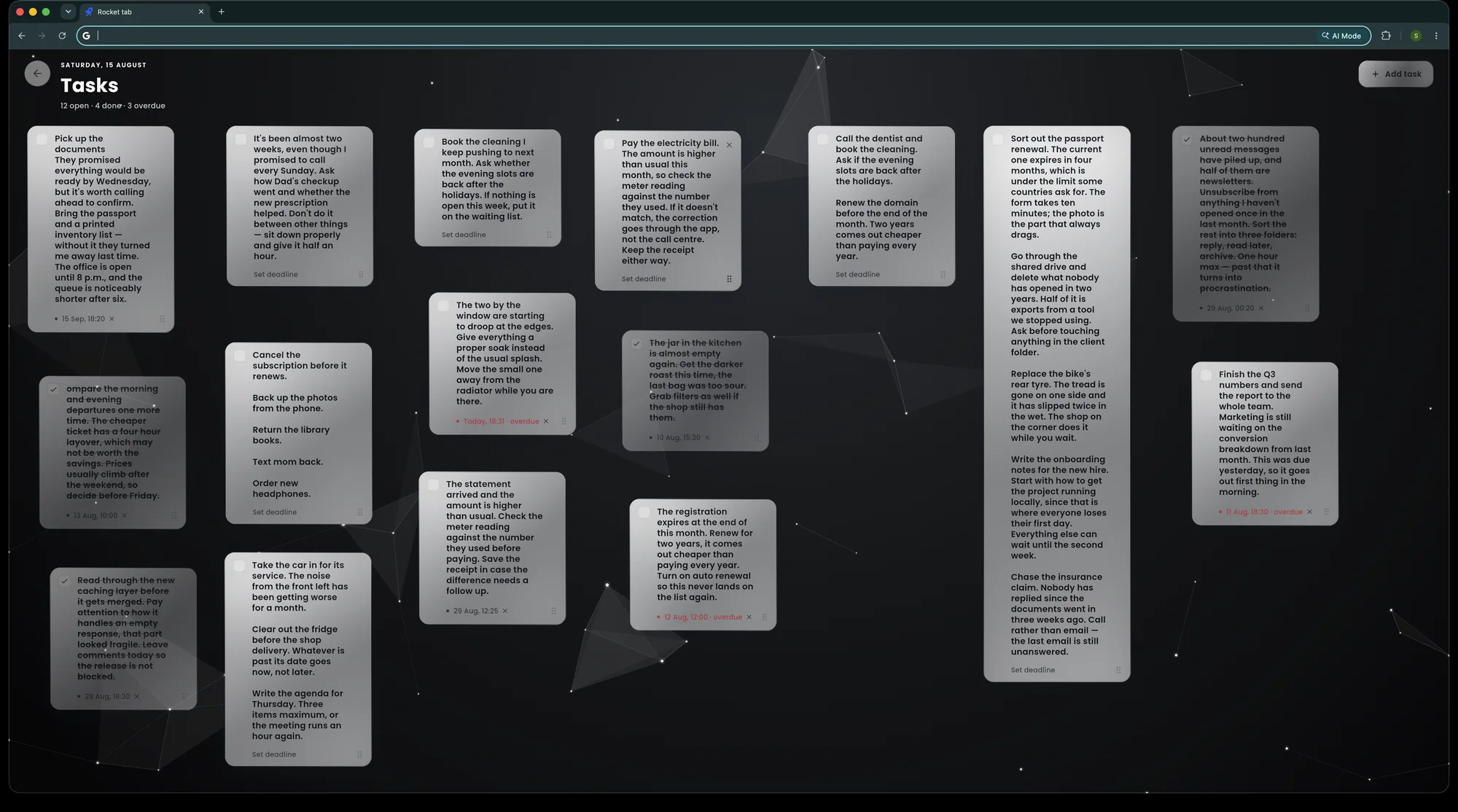
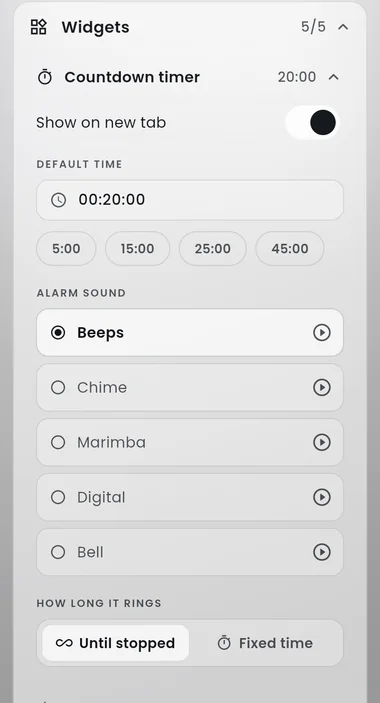
- Set it, nudge it by a minute or by five, pick one of five sounds it ends on — or let it ring until you stop it.
- Weather
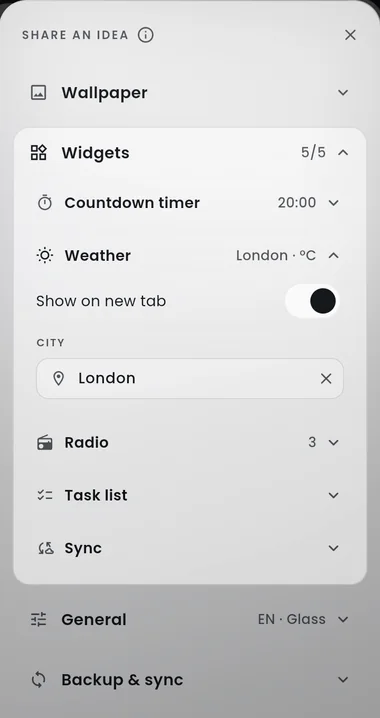
- One city, today's high and low, Celsius or Fahrenheit. Forecast from Open-Meteo.
- Internet radio
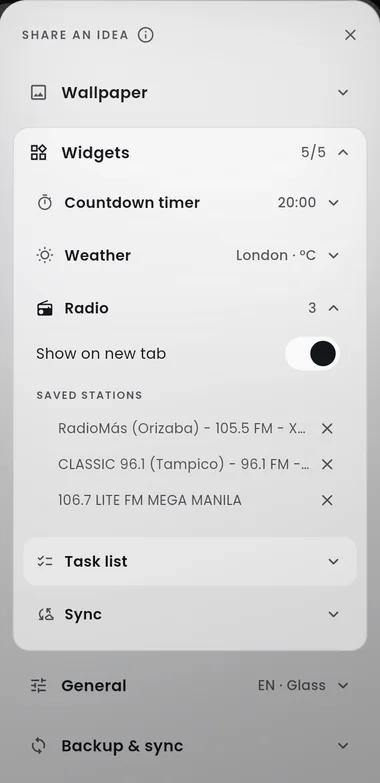
- Thousands of stations from the free Radio Browser catalogue. Save the ones you keep coming back to.
Each widget can be switched off, and dragged anywhere on the page.
One panel, every switch.
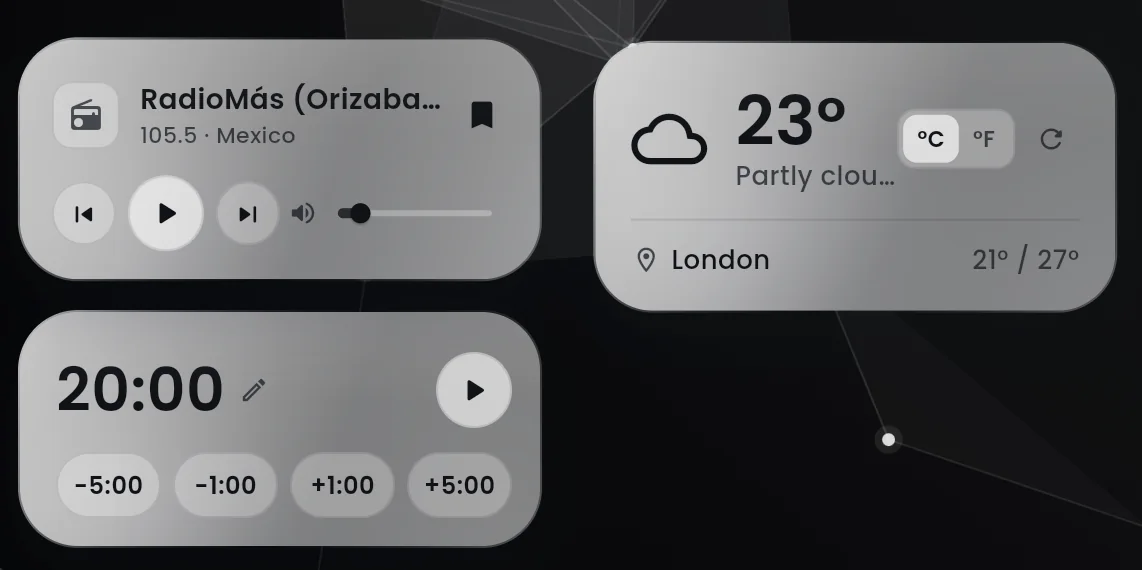
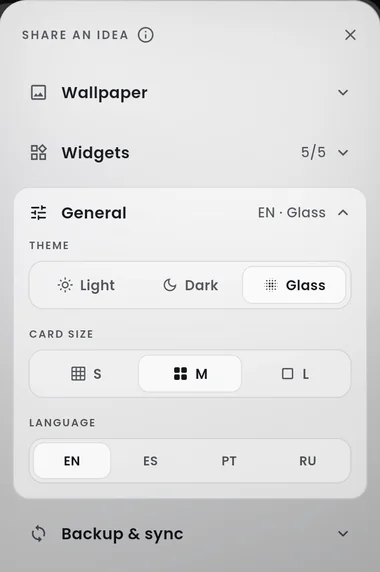
Everything on the page is turned on, off or retuned from the same settings panel — no options page hidden three clicks away in the browser menu.
wallpaper & theme
Make the new tab page look like yours.
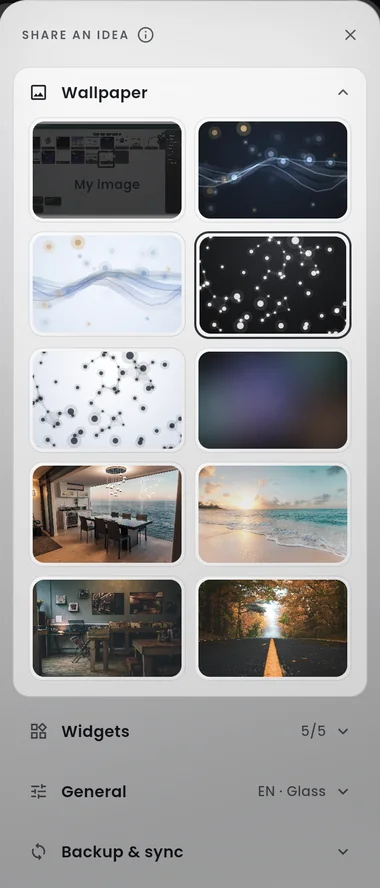
Nine wallpapers ship with the extension, including the drifting constellation behind this page. Drop in your own image through the My image slot and choose how it fits the screen.
Light, dark, or the frosted glass finish in these screenshots — the whole interface follows. Card size goes small, medium or large, and the language switches between English, Russian, Spanish and Portuguese.
privacy
Most of it never leaves the machine.
- Screenshots and site icons sit in your browser's own storage on this computer. Nothing is uploaded.
- An icon is fetched once — the moment you add the tile. After that the page draws it from local storage and never asks again.
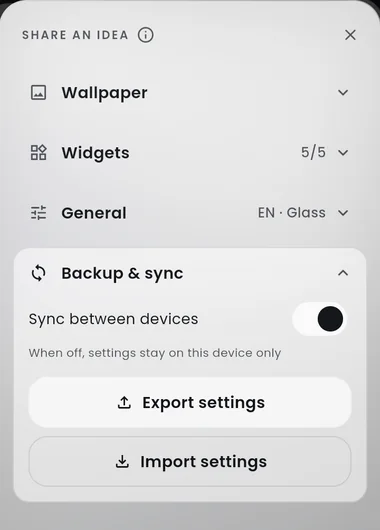
- Tasks stay put. They are not synced between devices; they travel only in a backup file you export yourself.
- Sync carries your groups and links and nothing else, through Chrome's own account sync. Wallpapers, screenshots and tasks stay behind.
- Two things need the network, and only when you use them: the weather forecast and the radio station catalogue.
No analytics, no tracking pixels, no sign-up.
Three clicks to a better new tab
- Add it to Chrome. Open the Chrome Web Store listing and press Add to Chrome. No account, no permissions dialog to puzzle over.
- Open a new tab. The dashboard is already there. Press the plus card to add your first link — the screenshot and icon are fetched for you.
- Make it yours. Open the settings panel to pick a wallpaper, choose light, dark or glass, and switch on the widgets you want.
Frequently asked questions
What does Rocket Tab do to Chrome's new tab page?
It replaces the blank new tab page with a dashboard. Your links appear as tiles carrying a real screenshot of the page and the site's own icon, next to a to-do board and the widgets you switch on: a countdown timer, a weather card and an internet radio player.
Is Rocket Tab free?
Yes. Rocket Tab is free, there is no paid tier, no trial and no account to create. Install it from the Chrome Web Store and it works straight away.
Where are my bookmarks, screenshots and tasks stored?
In your browser's own storage on your computer. Tile screenshots and site icons live in local IndexedDB storage and are never uploaded. Tasks stay on the device as well and are not synced. Only your groups and links travel through Chrome's own account sync, if you have it enabled.
Can I use my own picture as the new tab wallpaper?
Yes. Nine wallpapers ship with the extension, and the My image slot in the wallpaper picker takes any picture from your computer. The interface itself comes in light, dark and frosted glass, and the card size can be small, medium or large.
Does Rocket Tab track me or collect analytics?
No. There are no analytics, no tracking pixels and no sign-up. Two features reach the network, and only while you use them: the weather forecast from Open-Meteo and the station catalogue from Radio Browser.
How do I move my setup to another computer?
Open the settings panel, choose Backup & sync, and press Export settings. The file it produces carries your groups, links, tasks and preferences, and Import settings loads it on the other machine.
How do I get the default new tab page back?
Remove or disable the extension on the chrome://extensions page and Chrome restores its own new tab page immediately. Export your settings first if you want to keep your tiles and tasks.
What languages does Rocket Tab support?
The interface is available in English, Russian, Spanish and Portuguese, and the language is switched in the General section of the settings panel.